Most mistakes in a floor or a patio start with the area. Seeing the shape drawn catches them early. Square Footage & Concrete Calc is an iPhone calculator that draws the room you measured and works out what to buy.
Any shape, drawn to scale
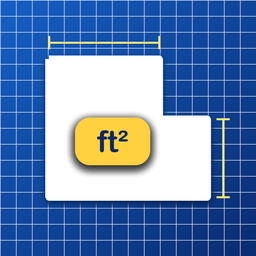
Choose a rectangle, an L-shape, a triangle, a circle or a trapezoid and type the measurements in feet and inches, or metres. The shape appears to scale on blueprint paper with each measurement along its side, and the area shows in square feet, square yards and square metres.
Concrete
For a slab or a footing the app takes the length, width and thickness; for post holes the diameter, depth and number. The cubic yards are free. With Pro come the extra for waste, the number of 80, 60, 50 or 40 lb bags and the cost.
Tile, paint, flooring and mulch
Square Feet Pro adds a calculator for each, using the area you measured or one you type: tiles and boxes, gallons for the walls of a room less doors and windows, boxes of flooring with extra for cuts, and cubic yards and bags of mulch. Projects add rooms up, take a price per square foot and are shared as a PDF.
What it costs
The area of any shape, one at a time, and the concrete volume are free. Square Feet Pro is $19.99 a month or $49.99 once. The app calls its figures estimates: products differ, so check the coverage on the packaging. There is no account and no advertising.
It needs an iPhone with iOS 17 or newer. Its App Store link is on its listing once Apple has approved the app.
Questions people ask
How much extra should I buy?
The app adds 10% for cuts and waste, which you can change; diagonal and herringbone floors usually need 15%.
How many bags of concrete for a 10 by 10 slab?
At 4 inches thick it is about 1.23 cubic yards, which is 56 bags of 80 lb, or 62 with 10% extra.
Can I share a project?
With Square Feet Pro, a project becomes a PDF with every area, the total, quick estimates and your price.