Every student pilot learns the round flight computer. The sums behind it are simple; reading the scales is the hard part. E6B Flight Computer: Pilot does the sums on the iPhone and draws the answer.
The wind triangle
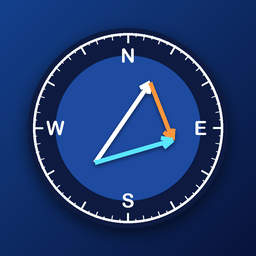
Type the true course, the true airspeed and the wind, and the heading to fly, the correction angle and the ground speed appear at once. A compass rose draws the course as a dashed line, the heading as an arrow and the wind blowing in. A variation gives the magnetic heading, and a distance the time.
Crosswind
A runway is typed by its number or its heading. The app gives the headwind or tailwind, the crosswind and its side, the gust components, whether they are within your limit, and which end of the runway has the headwind, with the runway drawn and the wind blowing across it.
The rest of the computer
E6B Pro adds true airspeed and Mach, pressure and density altitude with the ISA deviation, the wind found from heading and ground speed, time-speed-distance, fuel with reserve and endurance, descent planning, cloud base, routes with heading, time and fuel for every leg, saved aircraft and a history of results.
What it costs
The wind triangle, crosswind and units are free. E6B Pro is $19.99 a month or $49.99 once. The app is for training and planning, not for navigation: it says so on every screen. There is no account and no advertising.
It needs an iPhone with iOS 17 or newer. Its App Store link is on its listing once Apple has approved the app.
Questions people ask
Are winds true or magnetic?
Use the same reference for both: tower and ATIS winds are magnetic like runways, METAR and TAF winds are true. The app reminds you on the crosswind screen.
Does it match my round E6B?
It works the same sums exactly; a round computer is read by eye, so a degree or a knot of difference is normal.
Can I save my aircraft?
With E6B Pro, yes: cruise speed, fuel burn, usable fuel and crosswind limit, filled into the calculators for you.