ReplayIT
Record mouse and keyboard actions once, replay them anytime
ReplayIT is a macro recorder for the Mac. It records your mouse and keyboard actions, shows them as a list you can edit, and plays them back up to 10,000 times at the speed you choose.
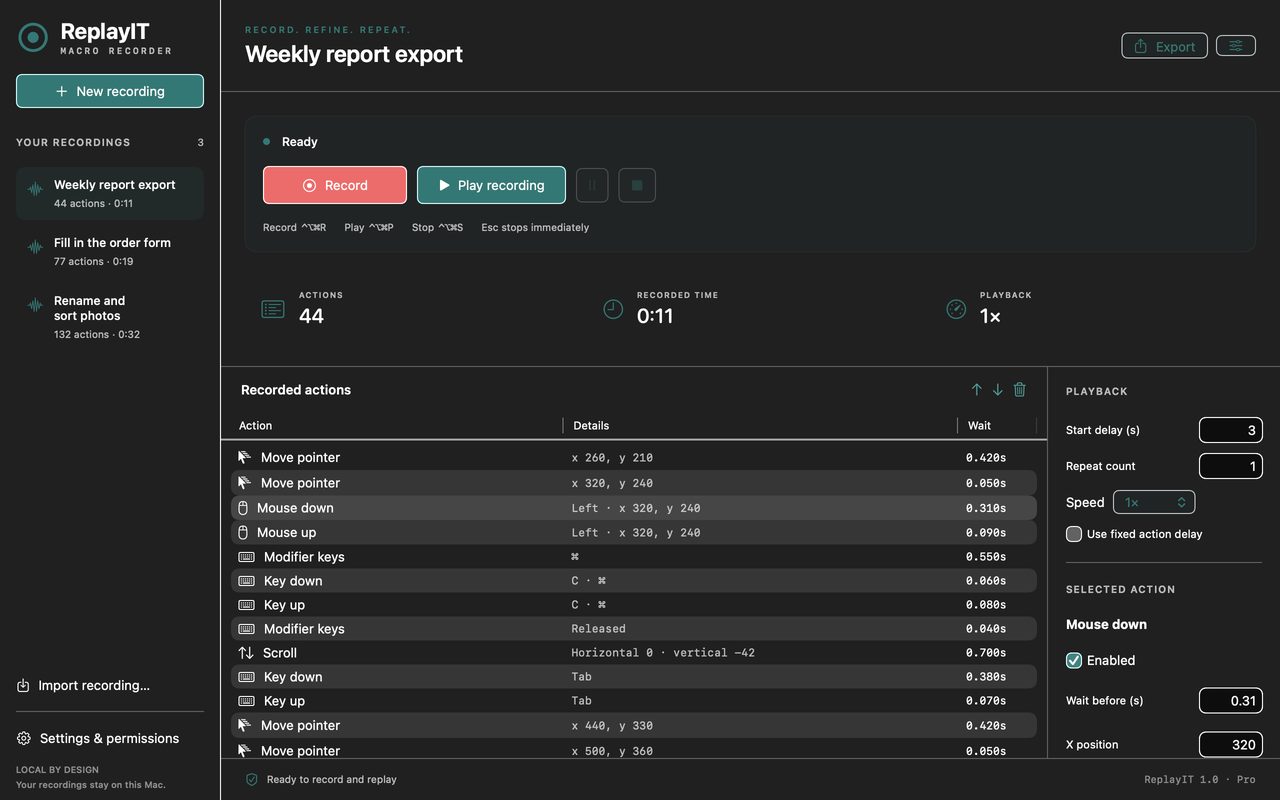
Press Record, switch to any app and do the task once. ReplayIT records pointer movement, clicks, dragging, scrolling, keys and modifier keys with their timing. Press Stop and the recording is saved; press Play and your Mac does the same thing again.
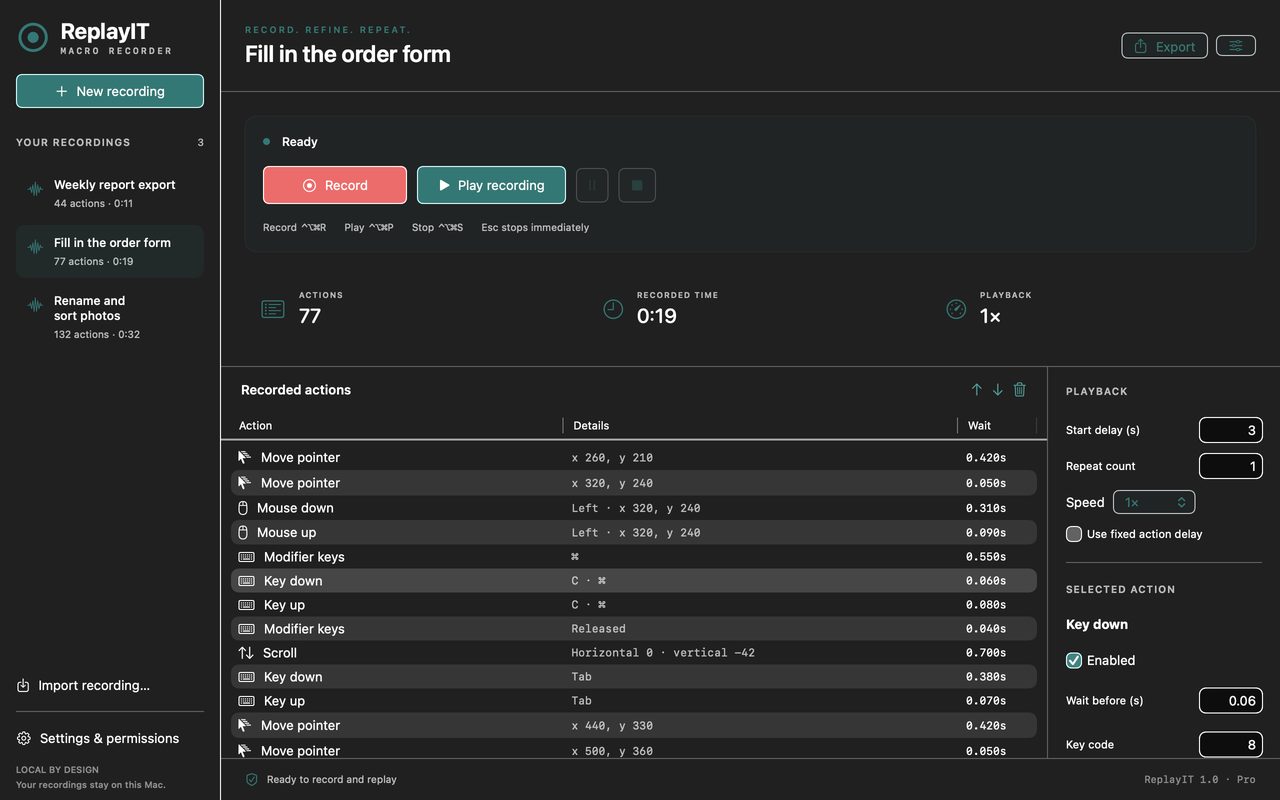
Every recording is a list you can read: where the pointer went, what was clicked, which key was pressed and how long each wait was. You can change a wait, a position or a key, switch an action off, move it or remove it. Played back many times, one recorded click is an auto clicker and one recorded line of typing an auto typer.
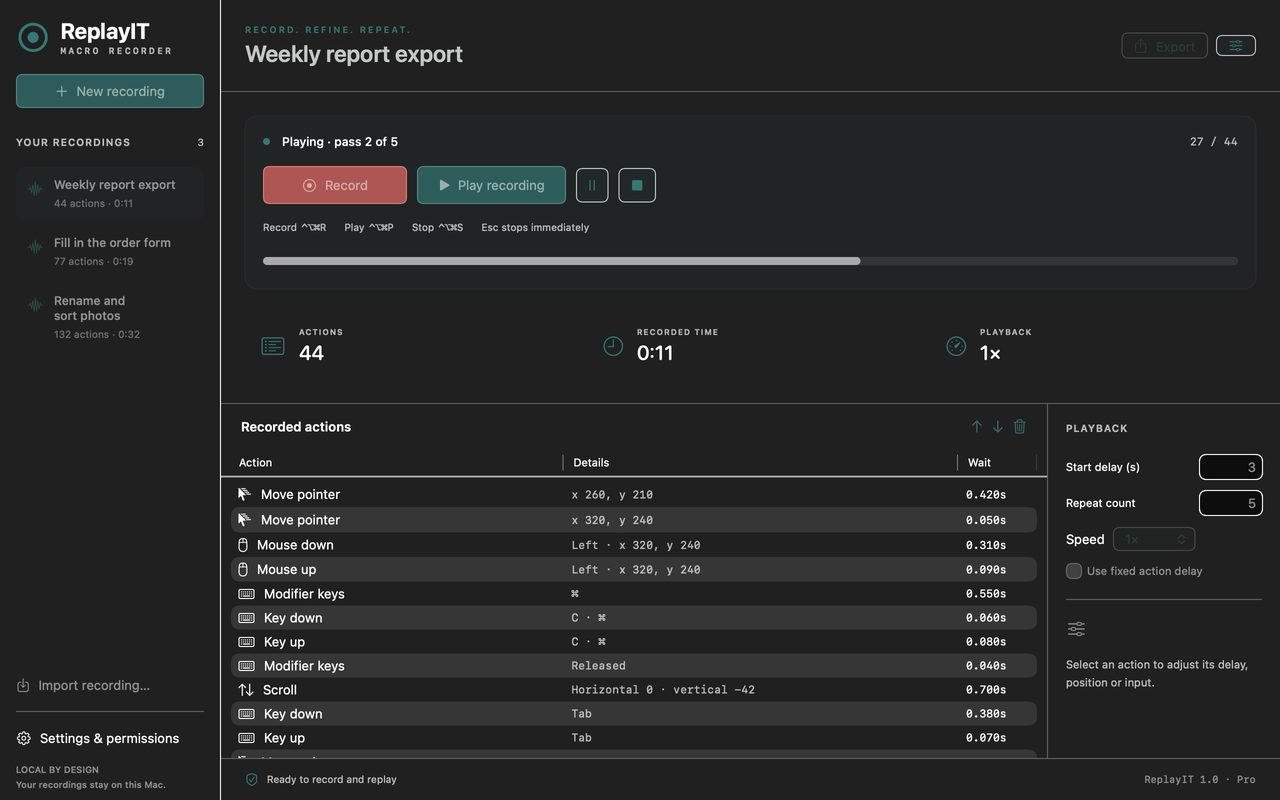
Playback can repeat 1 to 10,000 times, at a quarter of the recorded speed up to ten times as fast, or with one fixed delay between all actions. A start delay gives you time to bring the right window to the front, and Escape stops at once and releases every held key and button. Global shortcuts and a menu bar item start and stop recording and playback from any app.
ReplayIT has no account and no analytics, and recordings stay on your Mac. Keys typed while macOS secure input is on, as in password fields, are not recorded. Playback repeats what you did at the same places on the screen, so the window you recorded in has to be where it was.
Key features of ReplayIT
- Records pointer movement, clicks, dragging, scrolling, keys and modifier keys with their timing
- Shows every recording as a list of actions you can read and edit
- Repeats a recording up to 10,000 times, from 0.25× to 10× speed or with a fixed delay
- Escape stops playback at once and releases every held key and button
- Global shortcuts and a menu bar item for record, play, pause and stop
- No account, no analytics: recordings stay on your Mac
Who it is for
People who do the same clicks and keystrokes on a Mac again and again: exports, forms, reports, data entry and testing.
Pricing
From the Mac App Store (once Apple has approved it): free to record, play once and keep 3 recordings; ReplayIT Pro is $9.99 once. Direct from us on Gumroad: $47 once, everything included, for up to three Macs.
What you need
- A Mac with Apple silicon (M1 or newer) and macOS 14 or newer; it does not run on Intel Macs
- Two permissions you give in System Settings: Input Monitoring (to record) and Accessibility (to play back)
Questions
What is the difference between the two editions?
They are the same recorder. The Mac App Store edition is free to try (record, play once at recorded speed, keep 3 recordings) and unlocks the rest with ReplayIT Pro, a one-time purchase through Apple. The edition sold on Gumroad includes everything and comes with a licence key for up to three Macs.
Why does it need Input Monitoring and Accessibility?
Input Monitoring lets it read your mouse and keyboard actions while a recording is running. Accessibility lets it perform them again in other apps when you press Play. You give both in System Settings, and you can take them back there.
Does it record passwords?
Keys typed while macOS secure input is on, as in password fields, are not recorded. Other text you type while recording is, so do not record secrets: a recording is a plain file on your Mac.
Will a recording work after I move a window?
A recording repeats what you did at the same places on the screen. Put the window where it was when you recorded, at the same size.
The story behind ReplayIT
Some work on a computer is the same clicks in the same places, every day. A macro recorder does that work after you have shown it once.
ReplayIT is made by AI Motion Studio, the team behind AppGeoList. The facts on this page come from the app itself. The Mac App Store edition (version 1.0) is with Apple for review and not yet on the App Store.
More in Productivity

Signature Maker: Sign PDF Docs

Attendance Tracker: Roll Call