Signature Maker: Sign PDF Docs
Draw, type or scan your signature, then sign any PDF
An iPhone app that makes your signature three ways (drawn, typed or scanned from paper) and places it on PDFs and photos, with text, dates, check marks and stamps.
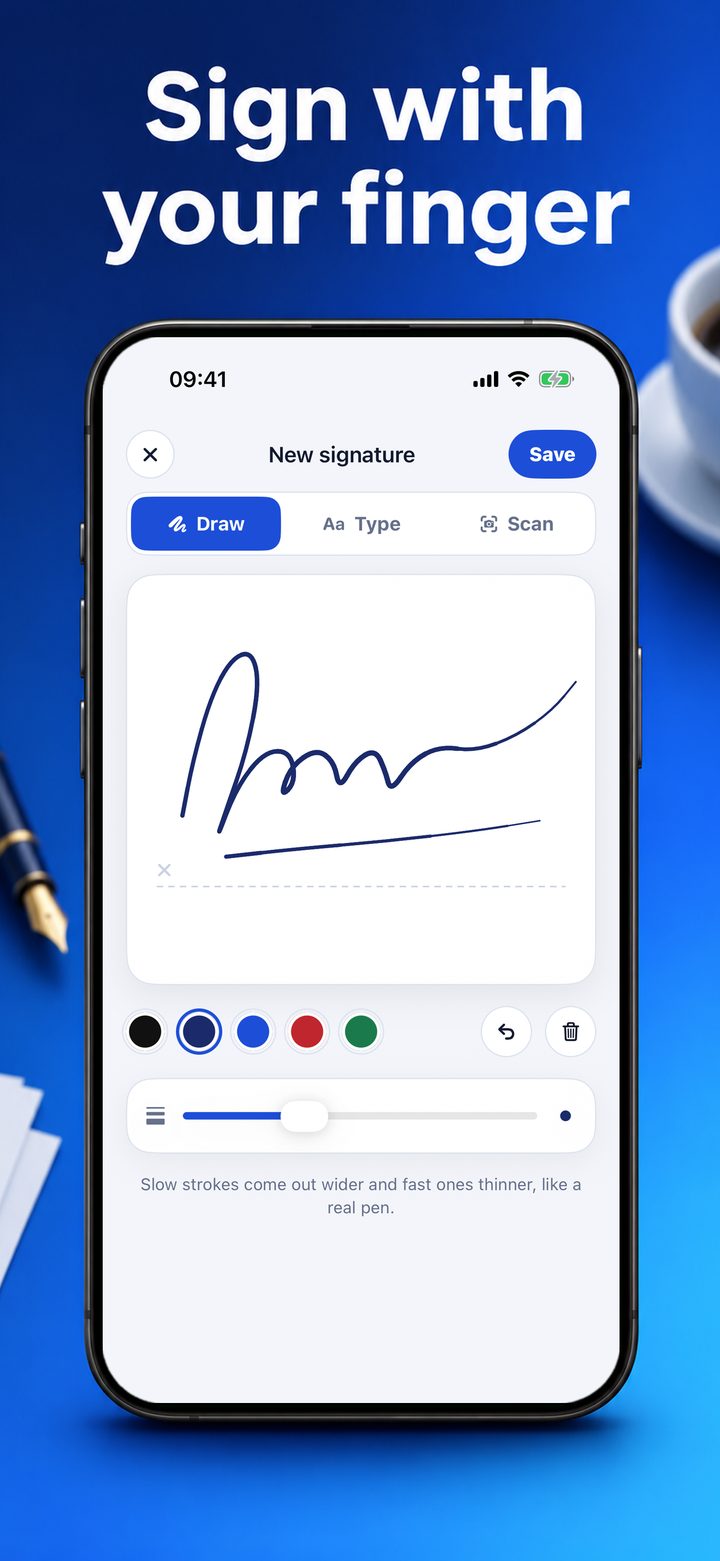
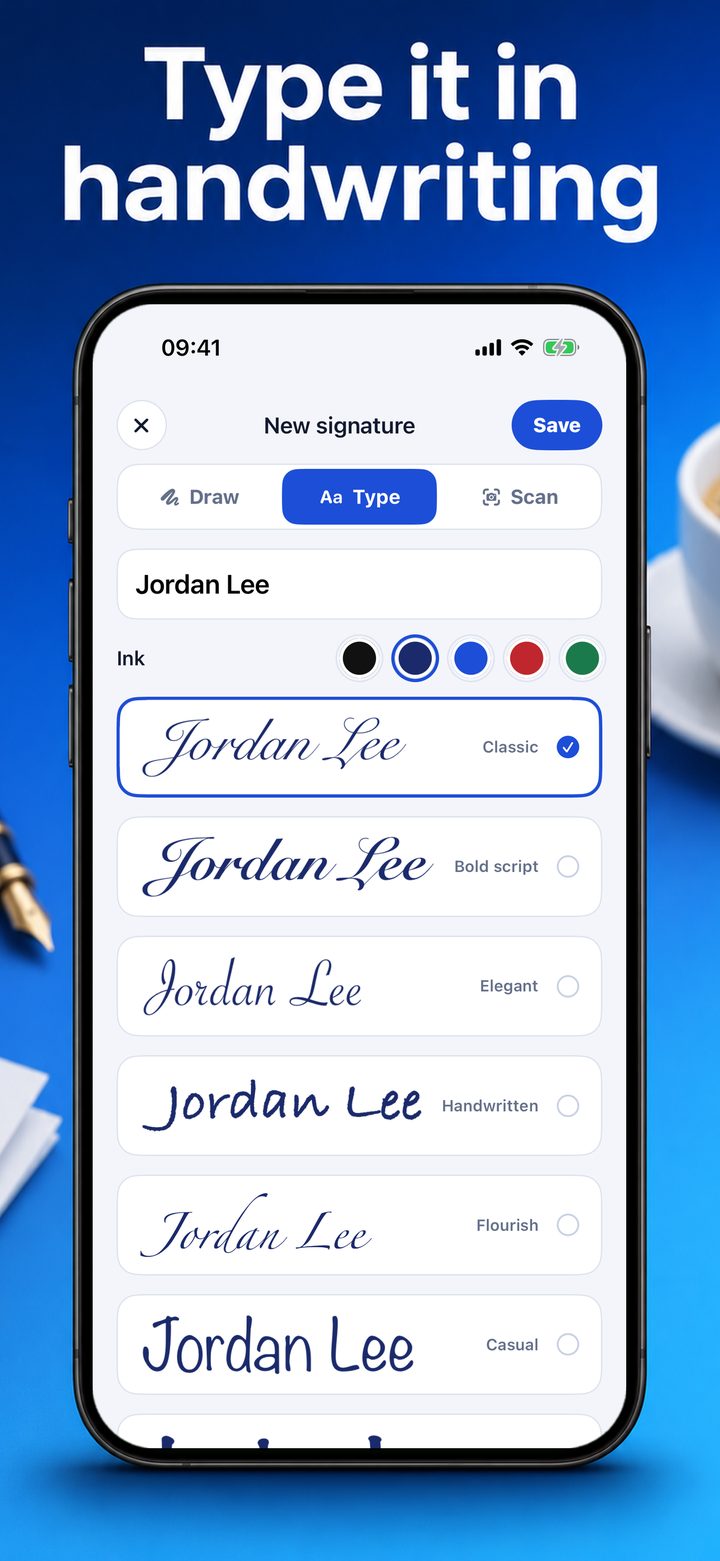
Signature Maker makes a signature once and keeps it ready. Draw it with a finger, with a pen that is wider where the hand is slow and finer where it is fast; type your name in one of eight handwriting styles; or, with Pro, photograph the signature you wrote on paper and keep only the ink.
A saved signature can be shared as a picture, see-through or on white, in black, navy, blue, red or green ink.
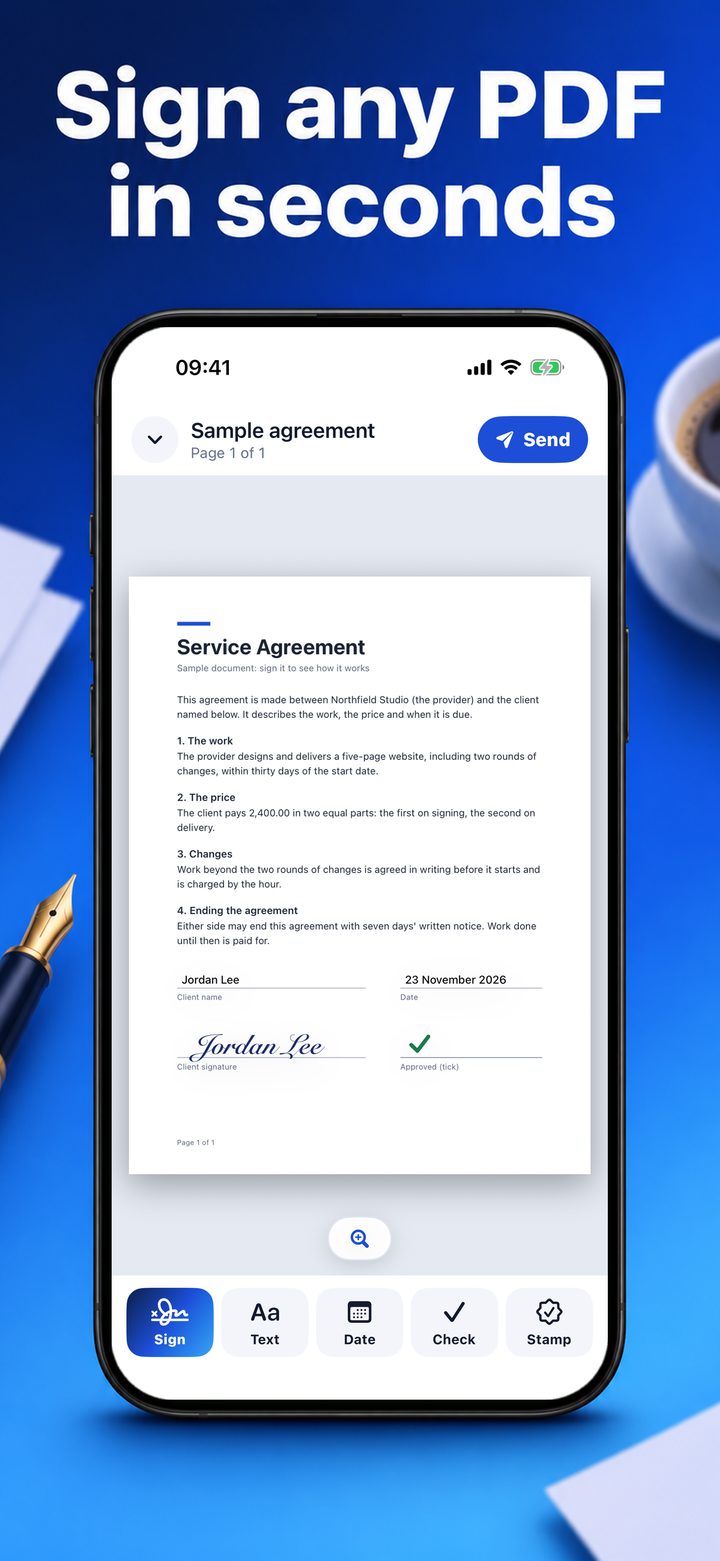
Documents come from Files, from a photo, or from pages scanned with the camera. In a document you place the signature, drag it to its line and size it, and add text, today's date, check marks and stamps such as Approved, Paid or Received.
Signature Maker Pro sends the finished PDF: the original text of the page stays text, and the page is sent as it looked on screen. Pro also keeps as many signatures as you like.
Key features of Signature Maker: Sign PDF Docs
- Draw a signature with a pen that follows the speed of your hand
- Type a name in eight handwriting styles
- Share a signature as a see-through picture
- Place signatures, text, dates, check marks and stamps on a PDF or photo
- Pro: send the signed PDF
- Pro: scan the signature you wrote on paper
Who it is for
Anyone who is sent a form or a contract to sign and has no printer and scanner at hand.
Pricing
Free for two signatures shared as pictures. Signature Maker Pro is $19.99 a month or $49.99 once.
What you need
- iPhone with iOS 17 or newer
Questions
What is free?
Two saved signatures, drawn or typed, shared as pictures, and placing them on documents. Sending the signed PDF, scanning a pen signature and more signatures need Signature Maker Pro.
Is a signature made with the app legally valid?
The app places a picture of your signature on the page, as signing a paper and scanning it would. Whether that is enough for a given document depends on the law that applies to it; the app does not verify anyone's identity.
Where are my documents kept?
On your iPhone. The app has no account and sends nothing to us.
The story behind Signature Maker: Sign PDF Docs
A form arrives by e-mail and wants a signature. The printer is out of ink and the scanner is at the office.
Signature Maker: Sign PDF Docs is made by AI Motion Studio, the team behind AppGeoList. The facts on this page come from the app itself (version 1.0), which is with Apple for review and not yet on the App Store.
More in Productivity
Notion

Obsidian