
Seating Chart Maker Guest List
A floor plan for who sits where: weddings, dinners and classrooms
An iPhone app that turns a guest list into a seating plan: draw the room, seat guests by hand or let Smart Seating keep groups together and the people you name apart.
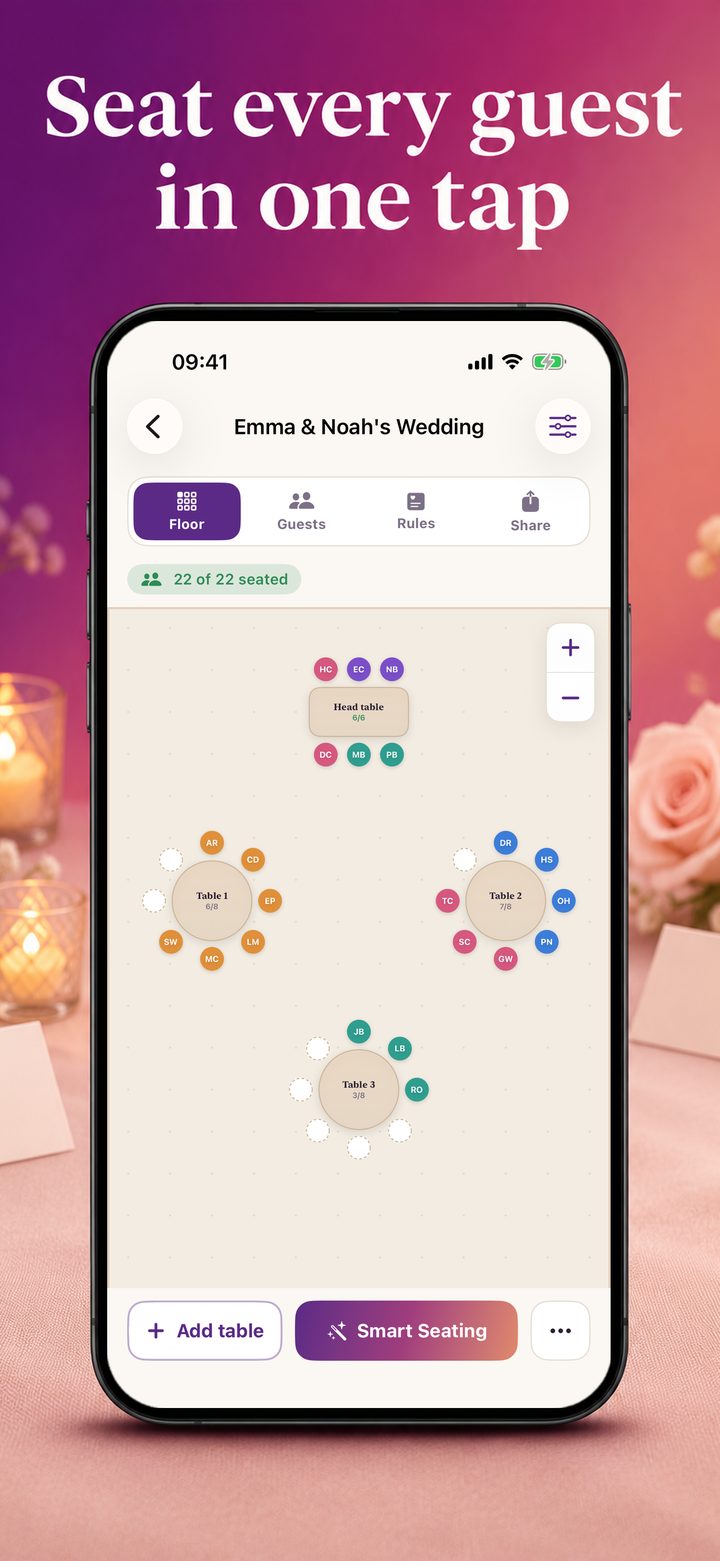
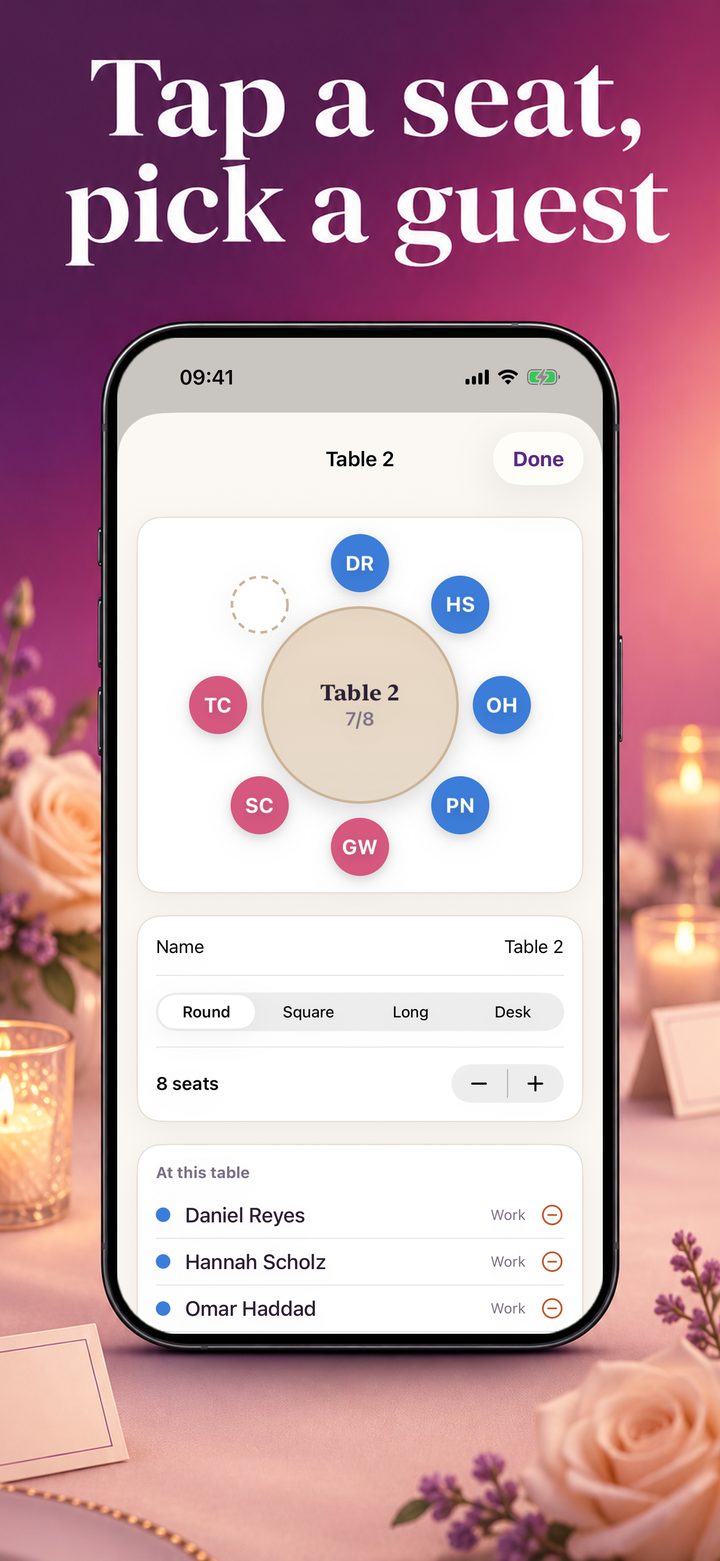
Seating Chart is for the list nobody enjoys: who sits where. You add the tables of the room, round, square or long, or the desks of a classroom, drag each to where it stands, and tap a seat to choose who sits there.
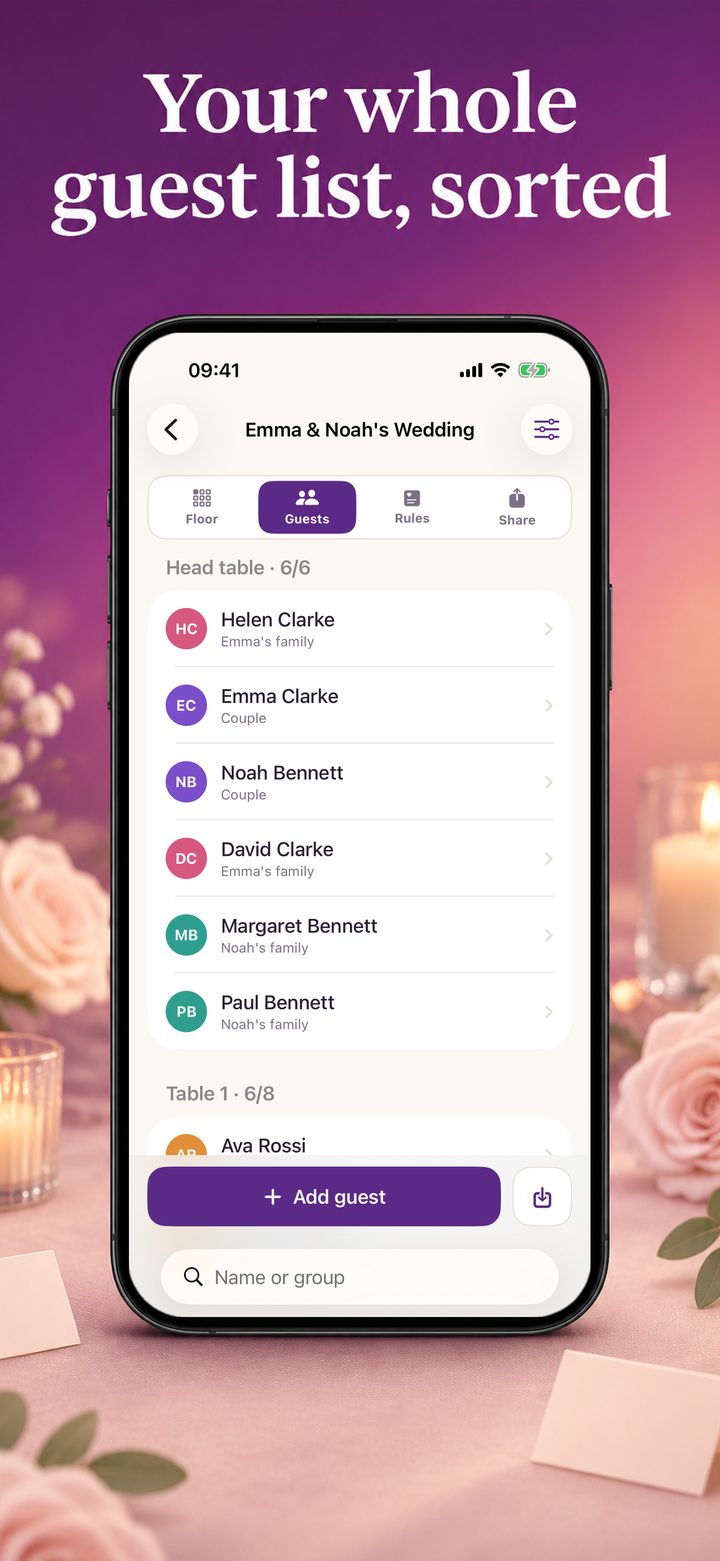
Every guest can have a group, such as the bride's family or the people from work, and each group has its own colour, so one look at the floor shows whether a family sits together. The list also keeps who is coming, who has not answered and who cannot come.
Seating Chart Pro adds Smart Seating: one tap seats everyone who has no seat yet. Groups stay together at a table they fit at, the people you name sit at the same table, and the people you name are kept apart. The guests you seated yourself keep their seats.
The floor plan can be sent as a picture. With Pro it becomes a PDF with the plan, a list for every table and everyone from A to Z, ready to print for the door.
Key features of Seating Chart Maker Guest List
- Floor plan with round, square and long tables or desks
- Guest list with groups, answers and search
- Seat by hand: tap a seat, pick a guest
- Pro: Smart Seating with rules (together, apart)
- Pro: PDF with floor plan, table lists and an A to Z list
- Pro: import guests from Contacts or a CSV file
Who it is for
Couples and planners seating a wedding or a dinner, and teachers arranging a classroom.
Pricing
Free for one event with up to 24 guests. Seating Chart Pro is $19.99 a month or $49.99 once.
What you need
- iPhone with iOS 17 or newer
Questions
What is free?
One event with up to 24 guests, seating by hand, and the floor plan as a picture. Smart Seating, its rules, the PDF, importing guests and more events and guests need Seating Chart Pro.
Where is my guest list kept?
On your iPhone. The app has no account and sends nothing to us.
Does it work for a classroom?
Yes. Choose the kind Classroom: tables become desks, and the seats can be shuffled.
The story behind Seating Chart Maker Guest List
The guest list is written, the tables are booked, and one job is left that nobody wants: deciding who sits where.
Seating Chart Maker Guest List is made by AI Motion Studio, the team behind AppGeoList. The facts on this page come from the app itself (version 1.0), which is with Apple for review and not yet on the App Store.
More in Lifestyle & Events

EventForge
Bingo Caller & Cards Maker
